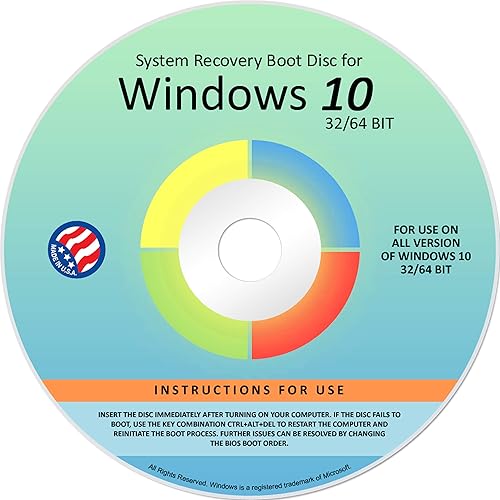

Recovery, Repair & Re-install disc compatible with MS Win 10 3264 bit
Compra Recovery, Repair & Re-install disc compatible with MS Win 10 3264 bit original con envío a todo Colombia
Precio y disponibilidad de Recovery, Repair & Re-install disc compatible with MS Win 10 3264 bit
$ 113.710,45
$ 133.777

0 % de interés sin costos adicionales en 3 cuotas de $ 37.903 , pagando con Addi. Obtén tu cupo
Envío gratis a todo Colombia
Disponible en todos nuestros productos, sin costos ocultos ni mínimo de compra.
Producto agotado temporalmente.
Tiempo de entrega: Entrega internacional estimada de 9 a 12 dias habiles en Colombia.
Valoración de clientes
3.7 sobre cinco estrellas 589 opiniones
This lisiting is for Winodws 10 pro 64 bit system NO KEY OR CODE IS SOLD WITH THE DVD. Technical support from seller is free and we have helped many people with there issues and fixing various issues like the loop of death BOD BlueScreen Of death and many others if you run into any issues contcat me via amazon messages and with purchase you will get my email to recive technical support please have the model of your PC ready and the order ID .Also you may ask why so expensive we are a company in the US with tech that has over 15 years of experiance.
Beneficios clave de Recovery, Repair & Re-install disc compatible with MS Win 10 3264 bit
- 🗝 [Requirement] No Key included with this item. You will need the original product key or to purchase one online.
- 💻 [All in One] Repair & Install of Win 10. Includes all version for 32bit and 64bit.
- 💿 [Easy to use] (1). Insert the disc (2). Change the boot options to boot from DVD (3). Follow on screen instructions (4). Finally, complete repair or install.
- 📁 [For All PC Brands] The first step is to change the computer's boot order. Next
- save the changes to the bios as the included instructions state. Once the bios is chaned
- reboot the computer with the Windows disc in and you will then be prompted to Repair
- Recovery or Install the operting system. Use disc as needed.
- 💿 [Easy to use] (1). Insert the disc (2). Change the boot options to boot from DVD (3). Follow on screen instructions (4). Finally
- complete repair or install.
- 🚩 [Who needs] If your system is corrupted or have viruses/malware use the repair feature: If BOOTMGR is missing
- NTLDR is missing
- or Blue Screens of Death (BSOD). Use the install feature If the hard drive has failed. Use the recovery feature to restore back to a previous recovered version.
Ficha técnica
- Fabricante
- AWRS
- Dimensiones
- 5 x 5 x 0,1 pulgadas
- SKU
- B07YMQ9WHQ
- Categorías
- Libros / Computadoras y Tecnología / Sistemas Operativos
- Compra segura y envío rápido a todo Colombia
- Garantía Yaxa y soporte experto en tu Recovery, Repair & Re-install disc compatible with MS Win 10 3264 bit
- Atención personalizada por WhatsApp y canales oficiales.